Reservations & Ordering
Every booking detail.
Every order, in view.
Connect guest reservations and food orders to your hotel’s daily operation. Manage bookable capacity, resource assignments, menus and fulfilment in dedicated staff workspaces.
Actual My Stay screens · Demo property
- Used by
- Dining, spa & activity teams
- Guest access
- Through the Guest App
- Team access
- Web workspace
A closer look at Reservations & Ordering.
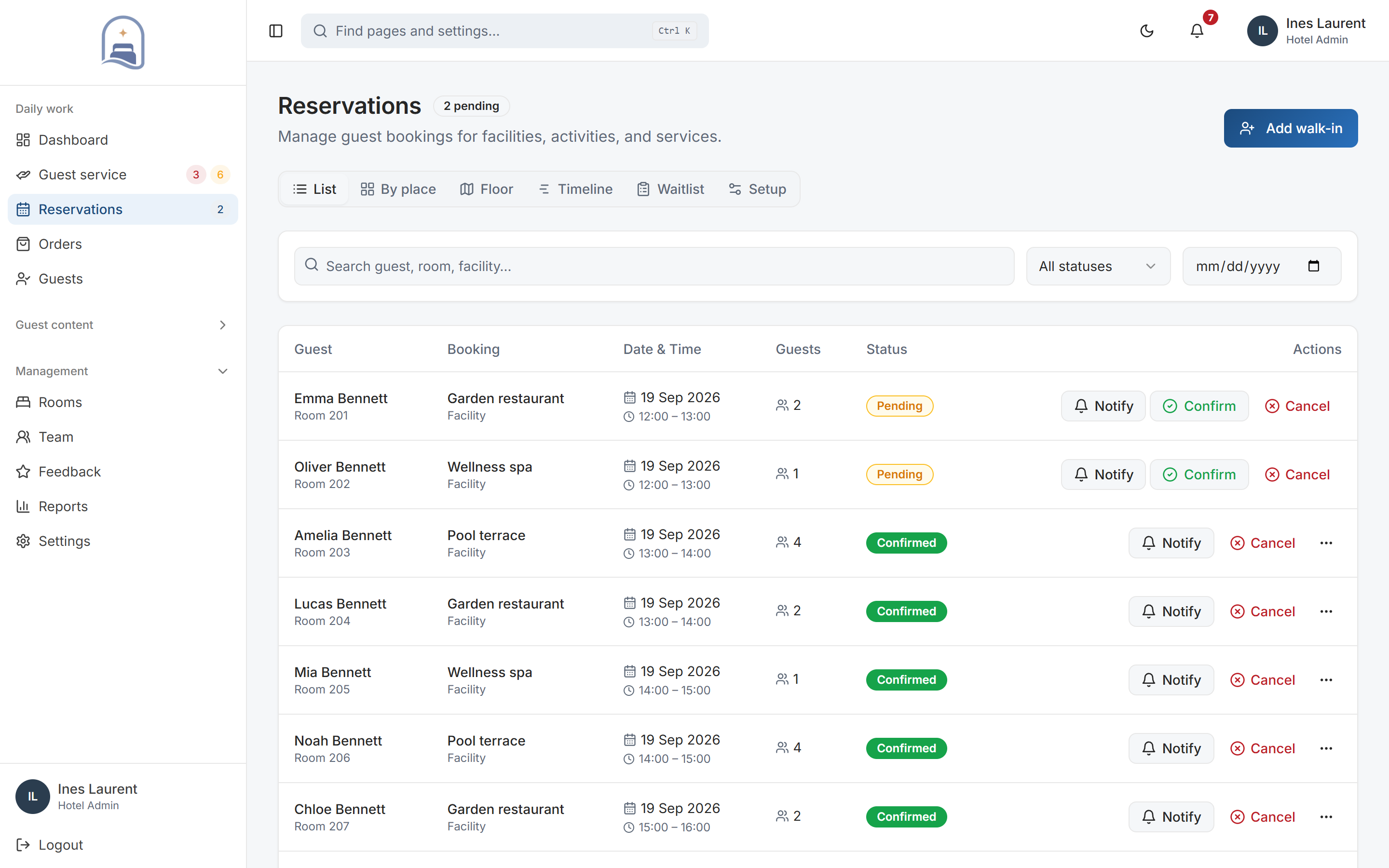
01Reservations
See who is coming, where and when.
Guests choose their experience, date, time, and party size. Staff can review reservations with the operational context they need to prepare.
- Work in the view you need
- Move between the reservation list, place, floor and timeline views. Search by guest, room or facility and filter by date or status.
- Handle changes in one place
- Add walk-ins, confirm pending reservations and manage cancellations. Use the waitlist when the preferred time is unavailable.
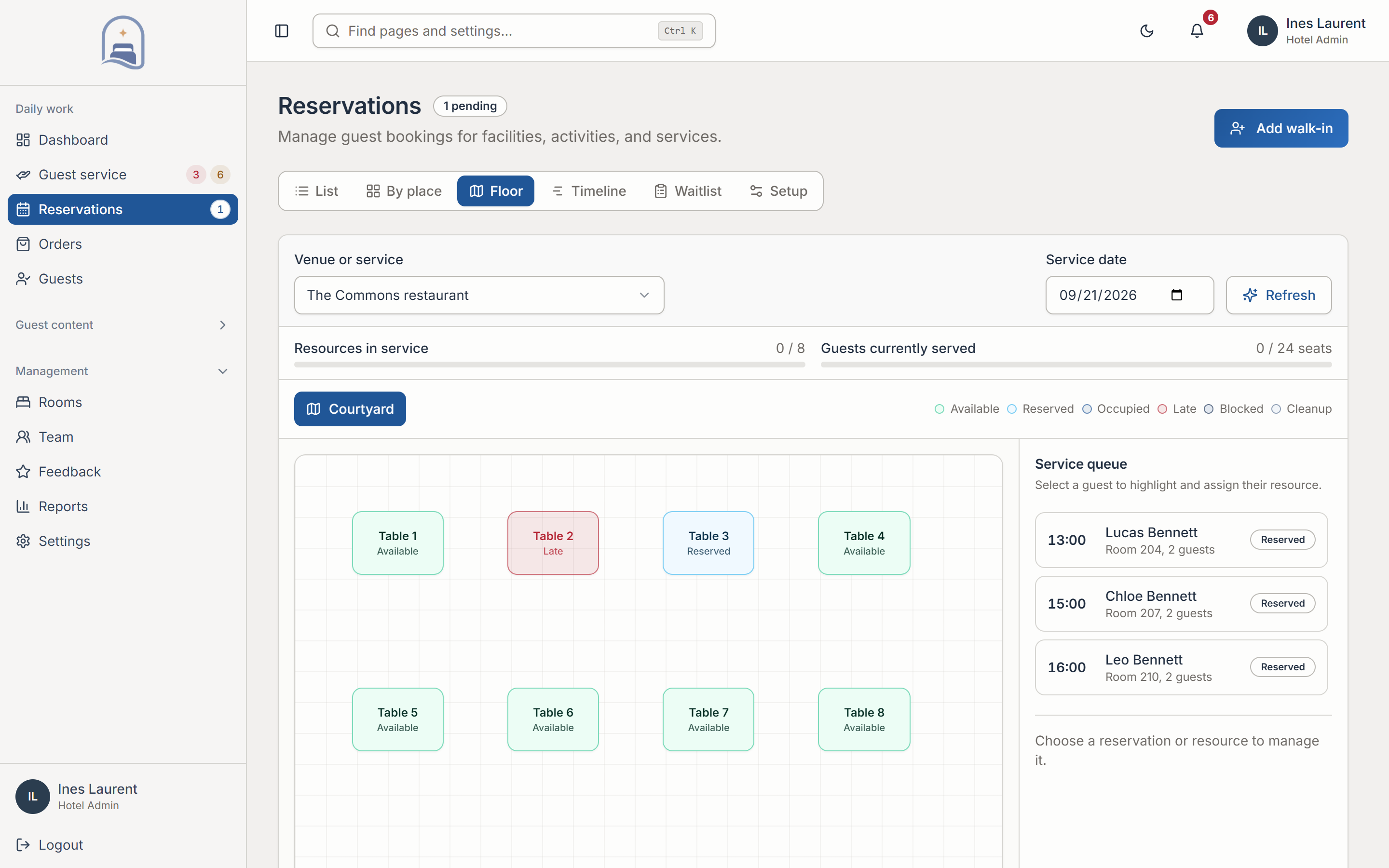
02Resources & availability
Make availability reflect the real space.
Configure the resources that define your service. Give teams control over assignments, availability, and the periods when a resource cannot be booked.
- Resources, not just time slots
- Set up tables, treatment spaces, therapists, courts or cabanas. Define capacity and assignments for the services that depend on them.
- Control what can be booked
- Configure booking policies and resource availability. Blocks let you account for maintenance or periods when a resource is out of service.
03Menus & ordering
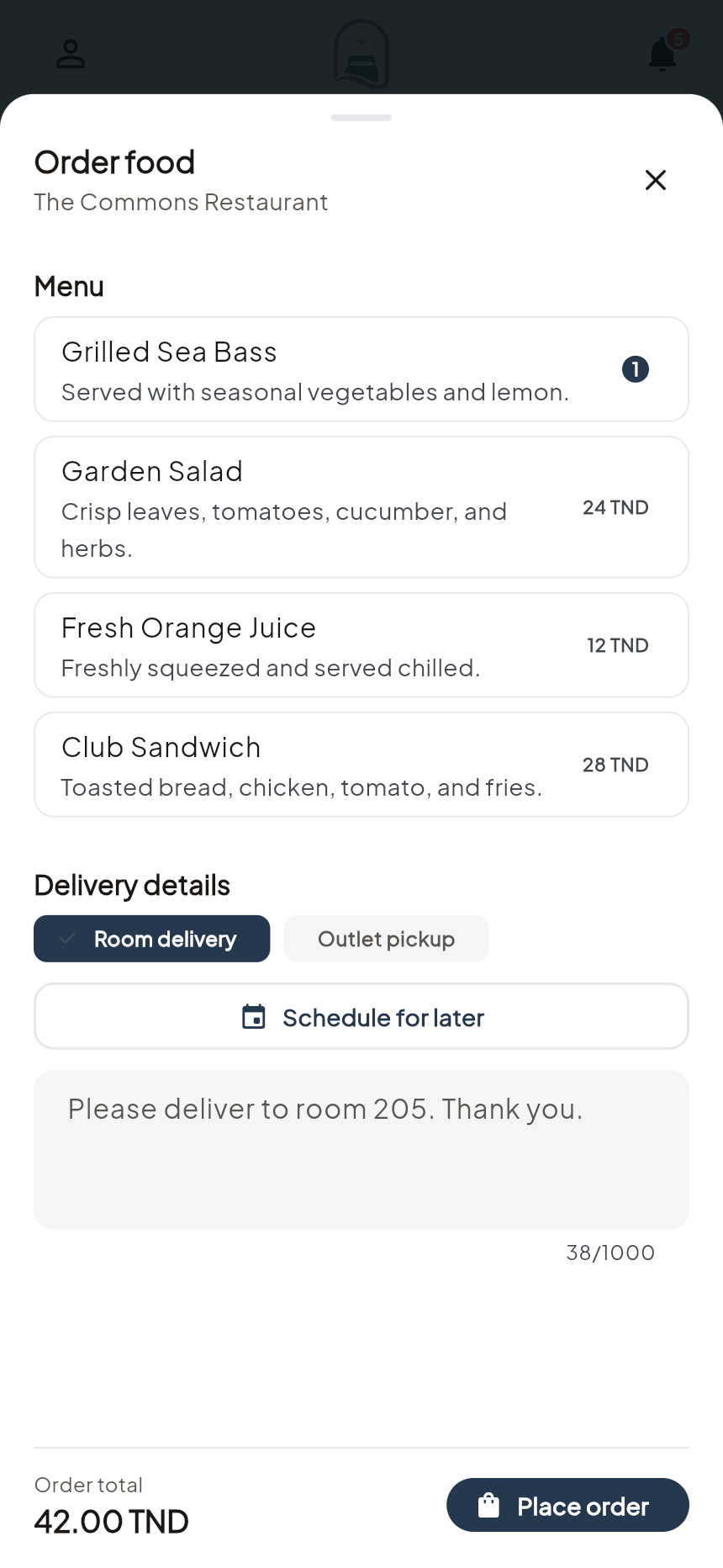
Let guests be specific about their order.
Make the route from browsing to ordering straightforward. Capture choices accurately so staff receive the details that matter for preparation.
- Capture preparation details
- Menu choices include item quantities, available modifiers and guest notes, so staff can see what has actually been ordered.
- Keep the menu actionable
- Maintain menu items and stock states. The ordering workflow carries item-level details through to the staff order queue.
04Order fulfilment
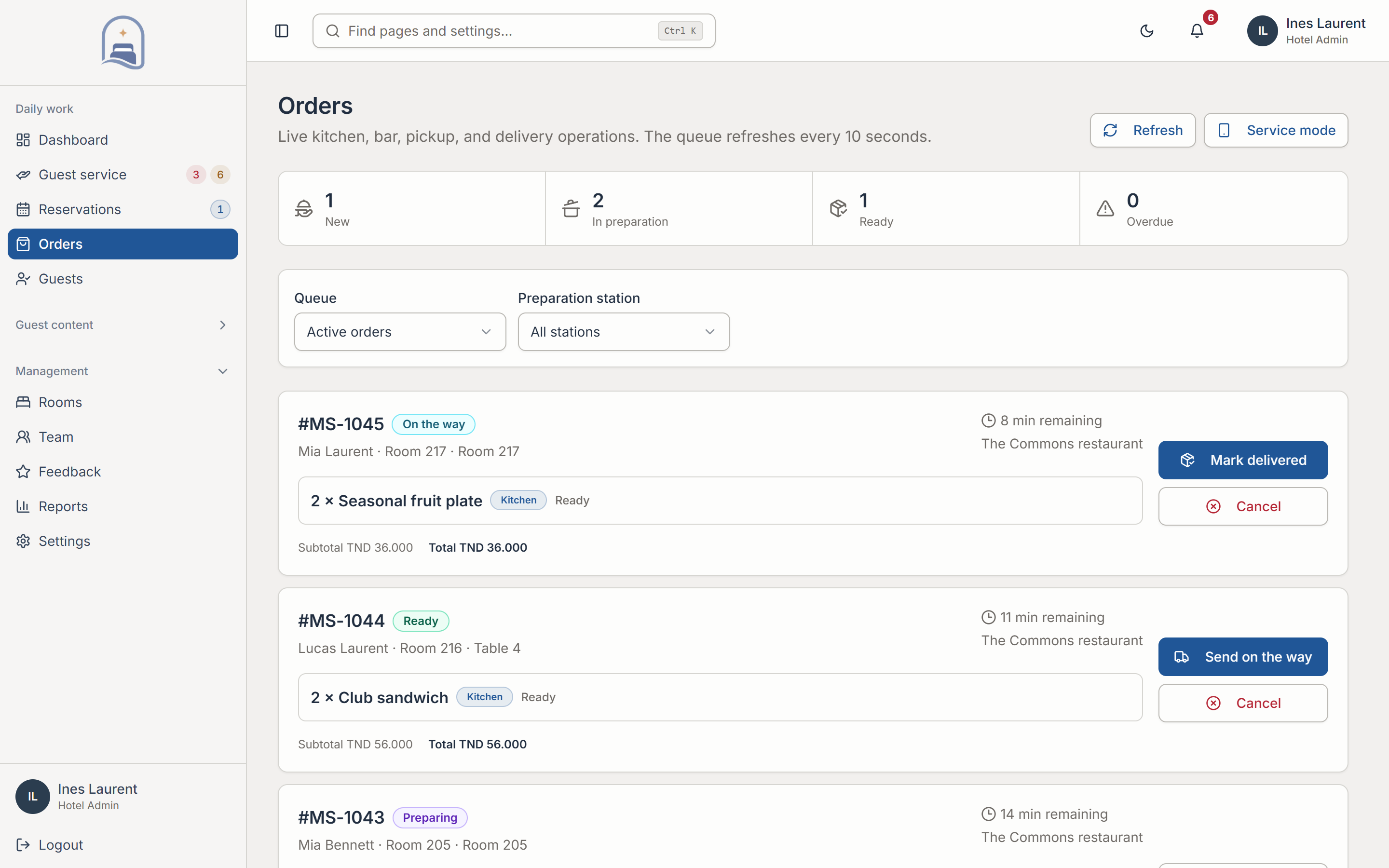
Follow the order through to delivery.
Give orders an organised path through your operation. Guests see progress while staff work from consistent order details and status history.
- An explicit service sequence
- Move orders through acceptance, preparation, ready and delivery stages as appropriate to the fulfilment type.
- A record of what happened
- Order events and status history give the team context for follow-up. Guests can follow progress from their app.
In practice
From a room-service order to a delivery.
The guest provides the choices. The order desk carries those details into preparation and fulfilment.
Choose and submit
The guest selects an item, quantity, available options and delivery details.
Accept and prepare
Staff review the order and update its status as preparation progresses.
Deliver and record
The team completes the delivery workflow and retains the order history for later review.
Your setup
Fit it to the way
your hotel works.
These are the decisions we work through together before rollout.
See the rollout steps- Reservation setup
- Prepare your facilities, resources, capacities, available times, cancellation rules and waitlist preferences.
- Ordering setup
- Prepare menu items, prices, modifiers, availability and the fulfilment choices your team can support.
- Payments and existing systems
- Payment processing and PMS connections are scoped separately during discovery. Your proposal identifies supported connections and any additional work.
Before you decide.
Practical answers about Reservations & Ordering.
Which services can we configure?
The platform supports reservations for hotel facilities, services, and activities. Resource types can include tables, spaces, therapists, cabanas, and courts. We map the setup to your actual operation.
Are reservations and food orders the same workflow?
No. Reservations use availability, resource, and booking controls. Orders use menu items, quantities, modifiers, and fulfilment statuses. Both connect the guest app with staff tools.
Does this include payment or PMS integrations?
Payment and property-system requirements should be discussed during discovery. We confirm supported integrations and any additional work before agreeing your scope.
Where it connects.
Guest App brings guests to your services. Reservations & Ordering owns booking capacity and order fulfilment; Hotel Operations handles broader service requests and team responsibilities.
Let’s make it work for your property.
Bring your next guest experience closer.
Explore Reservations & Ordering with a walkthrough of the workflows and configuration relevant to your hotel.
Book a personal demo