Hotel Groups
Start with the collection.
Get to the right hotel.
Compare service activity and guest satisfaction across properties, then enter the hotel workspace that needs your attention. Each hotel maintains its own content and guest identity.
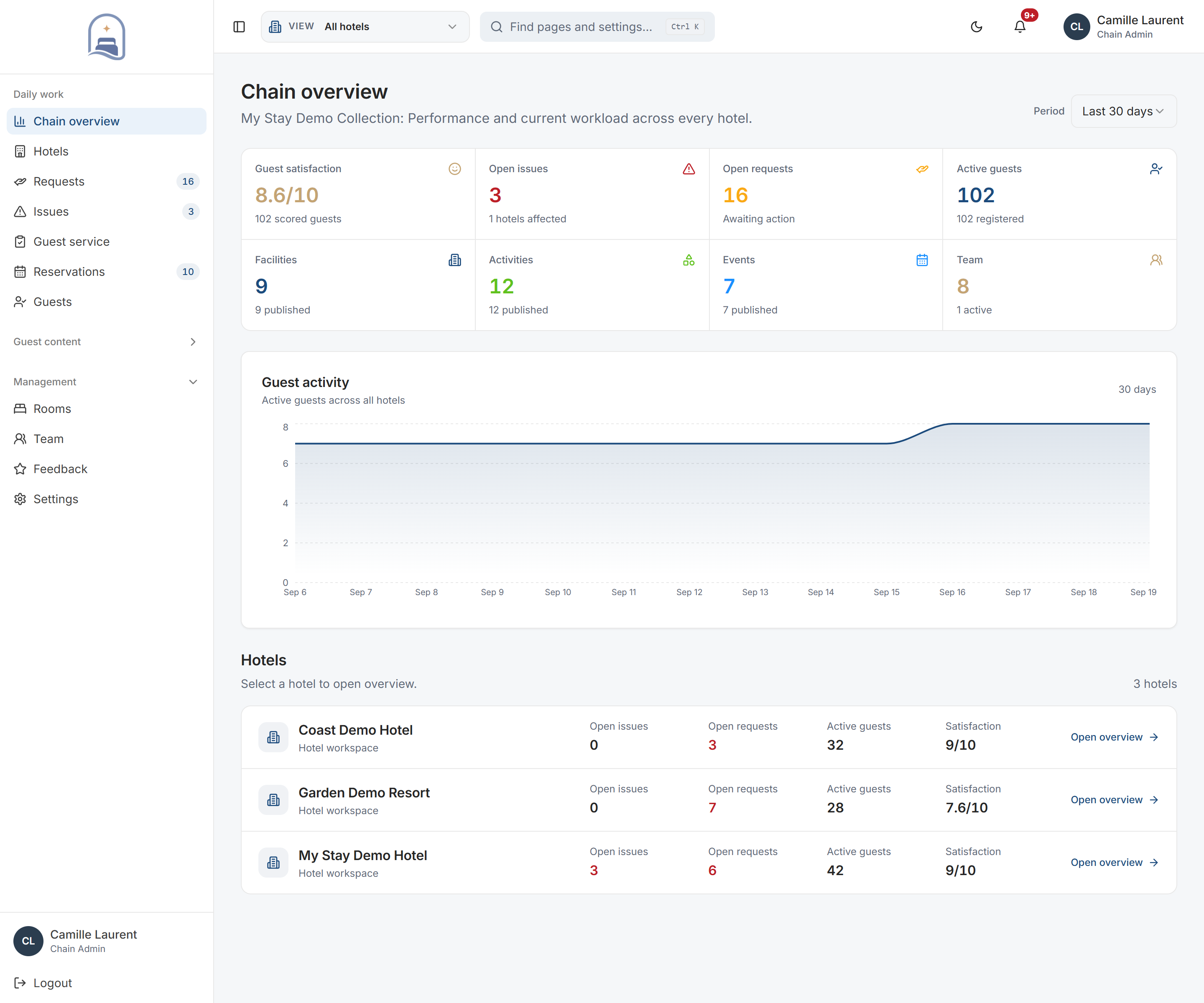
Actual My Stay screens · Demo property
- Used by
- Group & multi-property managers
- Starting view
- All hotels in the collection
- Working detail
- Individual hotel workspaces
A closer look at Hotel Groups.
01Portfolio comparison
Find the property that needs attention.
Follow service activity across properties and understand where attention is needed. Move into a hotel workspace with the correct operational context.
- Compare in one reporting period
- Portfolio summaries and hotel rows use the same selected period. Review open issues, outstanding requests, reservations and guest activity in context.
- Go directly to the work
- Select a property to open the relevant hotel workspace. The selected hotel stays explicit, with a route back to the collection.
02Property performance
Read the service behind the headline.
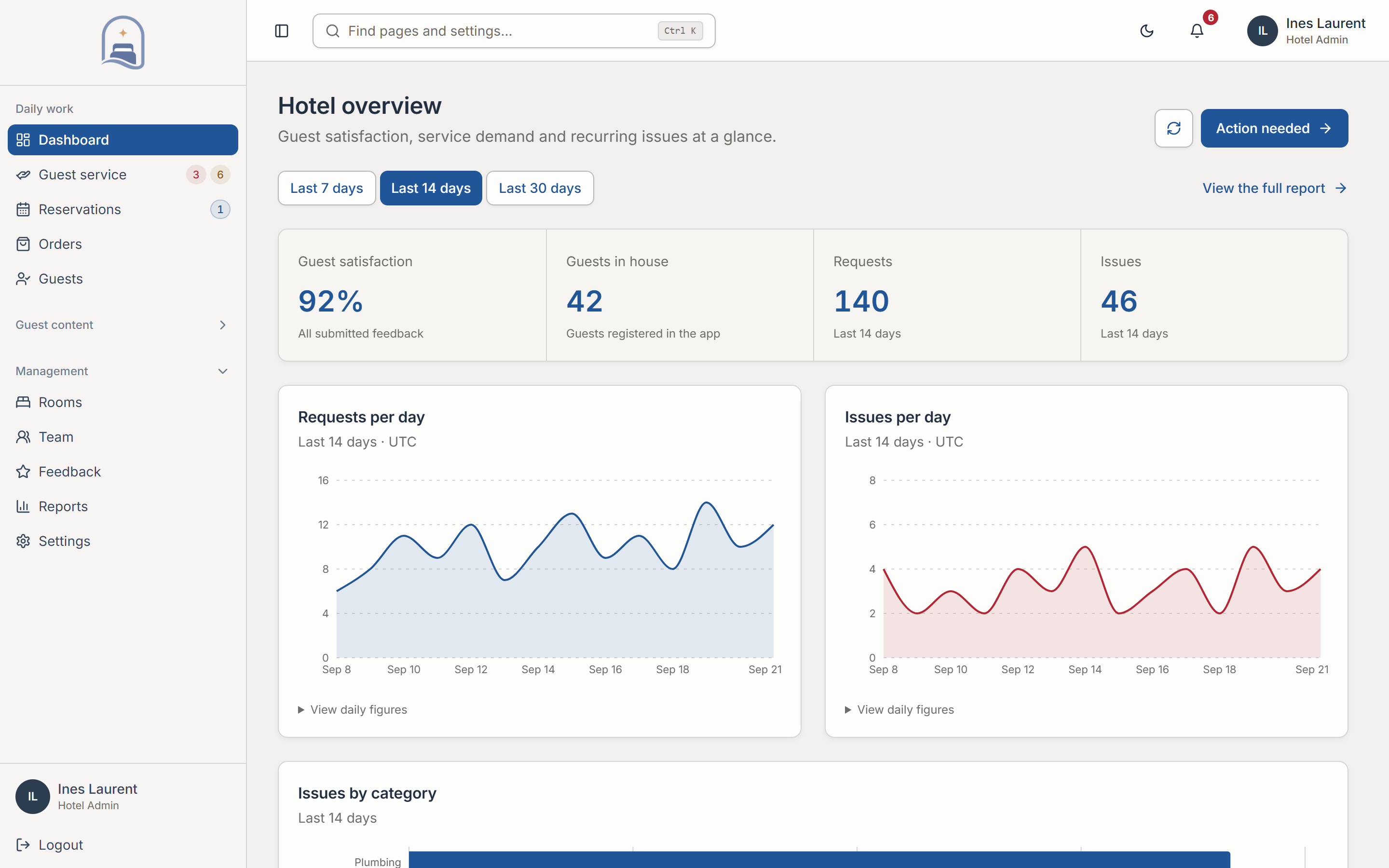
Look at guest satisfaction and service performance together. Give managers the detail to understand the experience each property is delivering.
- Service and satisfaction together
- Review request completion, issue resolution and guest satisfaction. Property-level views help explain which operation needs a closer look.
- Follow the same thread
- Move from the group comparison into local requests, reservations, guest feedback or content rather than starting the investigation again.
03Local content & identity
Let each property keep its character.
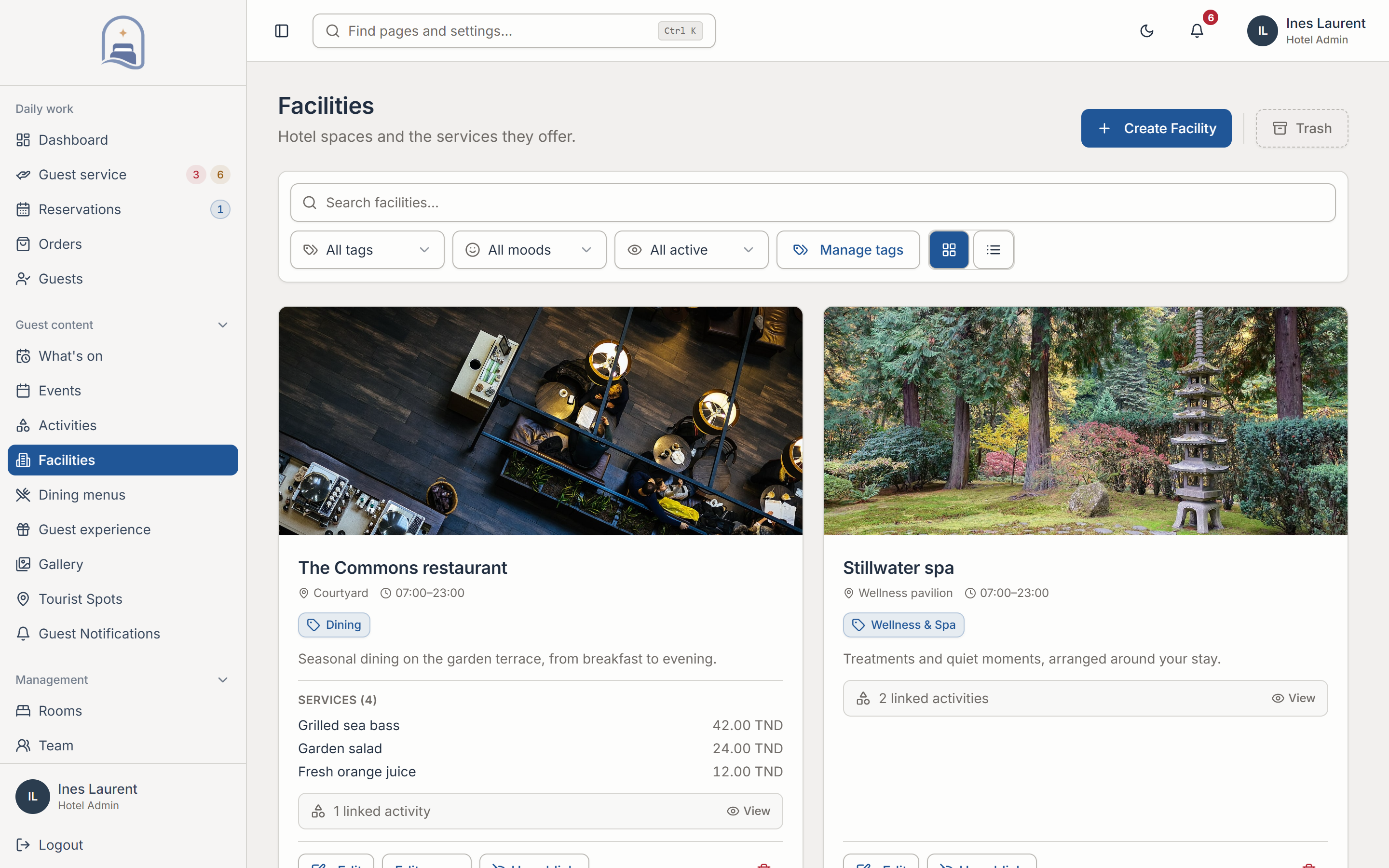
A shared platform does not require a uniform guest experience. Each hotel maintains its own brand, facilities, content, and local recommendations.
- A local guest experience
- Hotels maintain their own logos, colours, photography, facilities and recommendations. A resort’s programme can differ from a city hotel’s.
- Visibility into publishing
- Group content views show published and draft facilities, activities and events by hotel. Local teams manage the underlying content.
04Roles & access
Match access to responsibility.
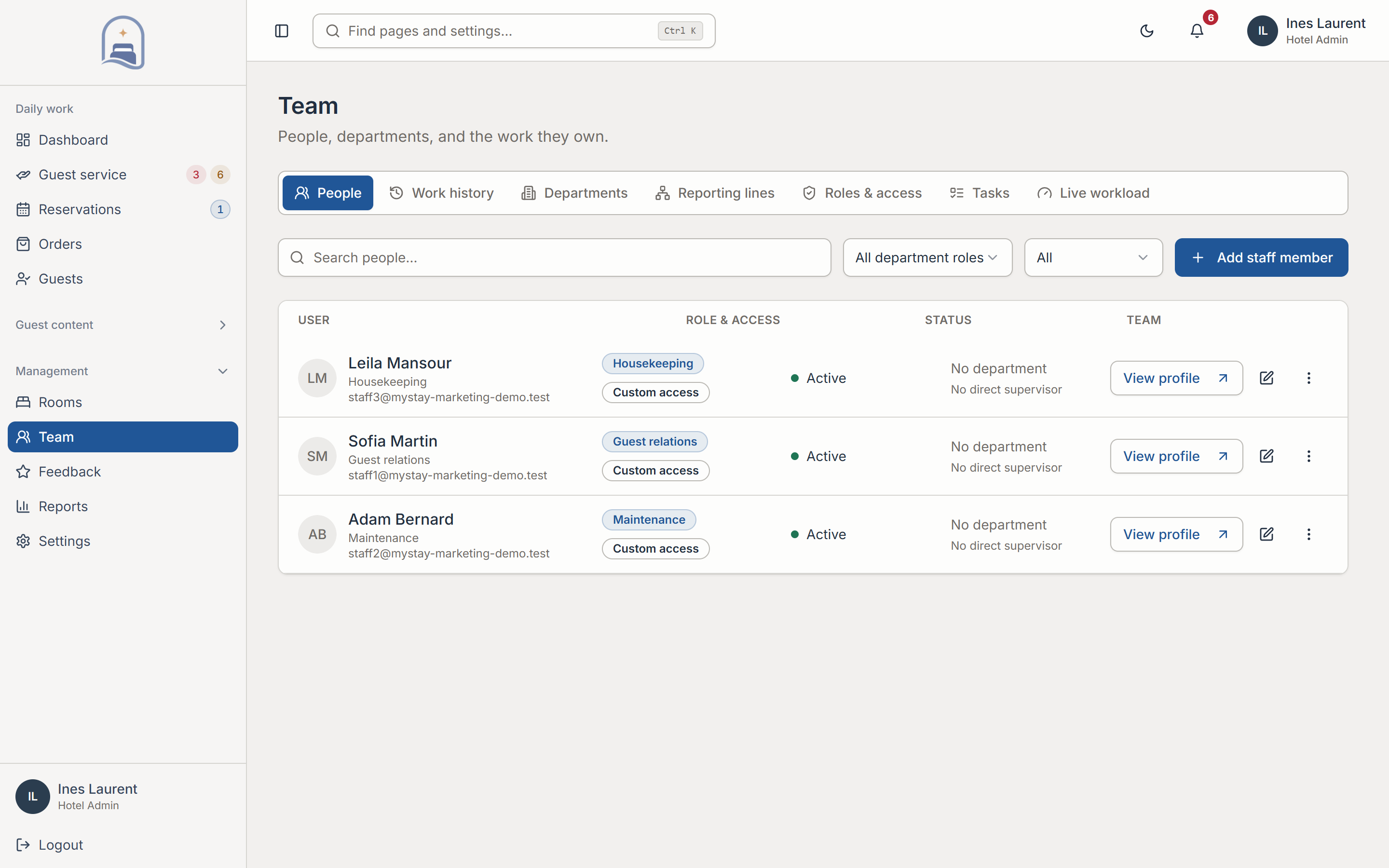
Keep hotel data separate while giving authorised managers the oversight they need. Roles and property context define how people work across the collection.
- Hotel data stays in context
- Property-isolated data and role-based access define what authorised colleagues can see and manage.
- Group oversight, local action
- Managers can enter authorised hotel workspaces. Local teams continue using the operational tools for their own property.
In practice
Spot an exception. Open the right workspace.
The collection view gives direction; the property workspace gives the details to act.
Compare your hotels
Review service workload and satisfaction for the same reporting period.
Choose the property
Open the hotel that needs attention in the relevant operational context.
Coordinate with the team
Review the local work, let the responsible colleagues act and follow progress from the collection.
Your setup
Fit it to the way
your hotel works.
These are the decisions we work through together before rollout.
See the rollout steps- Your property structure
- Map the hotels in your collection and the managers who need access to each one.
- Local responsibilities
- Identify who owns each hotel’s branding, publishing, guest services and daily operations.
- Rollout scope
- Agree the initial properties, service priorities and configuration needs. The proposal defines the rollout and any integration requirements.
Before you decide.
Practical answers about Hotel Groups.
Can individual hotels keep their own brand?
Yes. Each hotel can maintain its identity, imagery, services, facilities, and content while using the common platform.
How is hotel data separated?
The platform uses property-isolated data and role-based access. Authorised managers enter the relevant hotel context when working across properties.
Can we plan the rollout around our collection?
We map your properties, priorities, responsibilities, and configuration needs during discovery. The proposal defines scope and rollout for the group.
Where it connects.
Hotel Groups adds multi-property oversight to the same local tools. Hotel Operations supports day-to-day work, and Guest Engagement provides guest feedback and communication.
Let’s make it work for your property.
Connect your collection, thoughtfully.
Explore Hotel Groups with a walkthrough of the workflows and configuration relevant to your hotel.
Book a personal demo