Hotel Operations
A clear next step
for every request.
Give guest requests an owner and a visible path to resolution. Coordinate the people on shift, maintain your hotel’s content and keep the service history together.
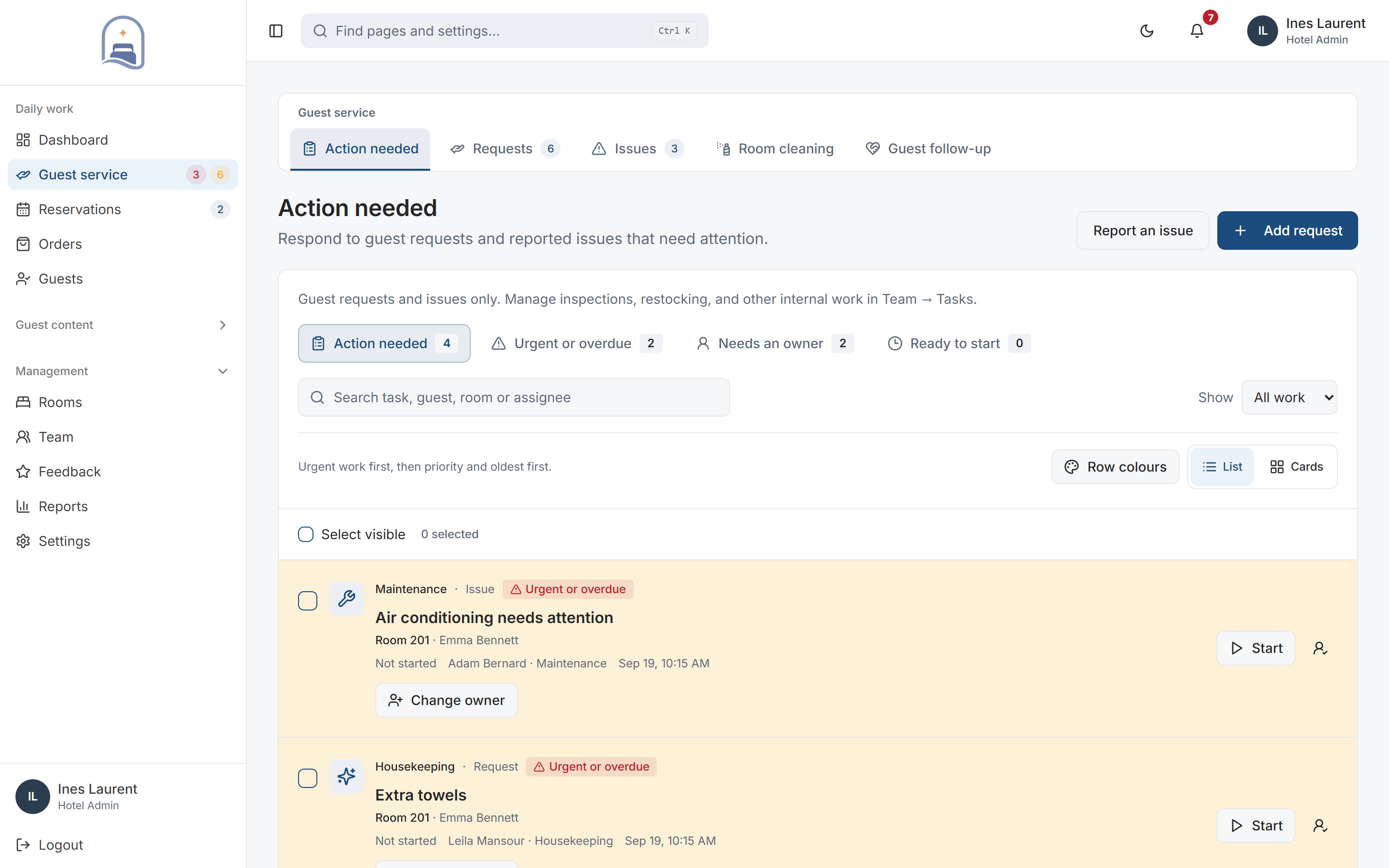
Actual My Stay screens · Demo property
- Used by
- Hotel managers & service teams
- Incoming work
- Guest requests & reported issues
- Team access
- Web workspace with roles
A closer look at Hotel Operations.
01Request assignment
Route work to the people who can act.
Route work using the request category, on-shift availability, and current workload. Reassign when plans change and keep responsibility visible.
- Assignment follows your operation
- Routing can use department ownership, staff availability and current open workload. The hotel’s routing settings determine how work is distributed.
- Managers stay in control
- Review ownership and reassign work when priorities or staffing change. Request and room details remain attached to the task.
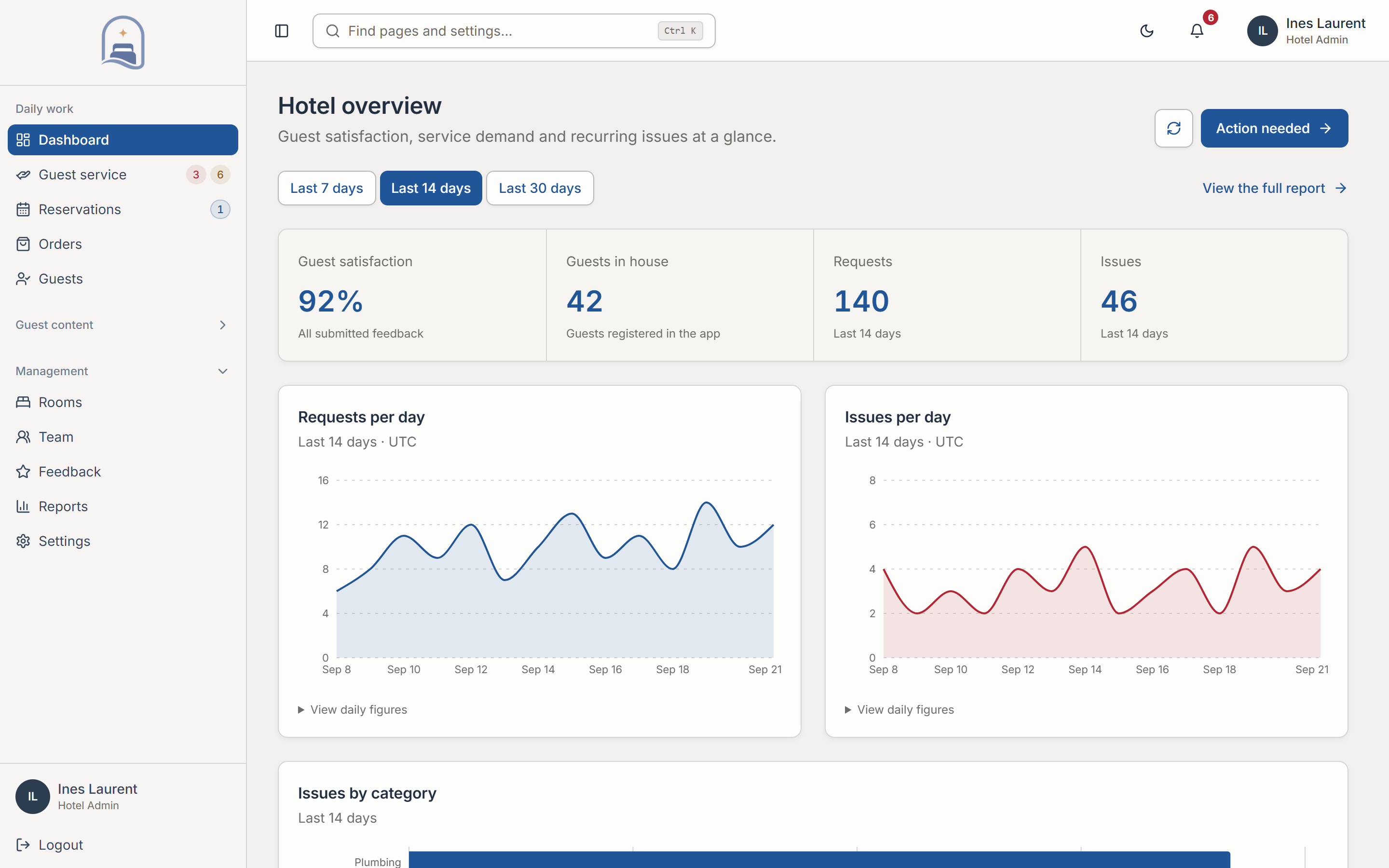
02Progress & follow-up
Keep the context as work changes hands.
Follow a request from arrival to resolution. Keep the details, progress, and operational history together so the team can act with context.
- From arrival to resolution
- Track requests and reported issues through their statuses. Staff can review the details and operational history before taking the next step.
- Know what needs follow-up
- Review outstanding work, resolution performance and service recovery cases. Guest updates make progress visible beyond the staff workspace.
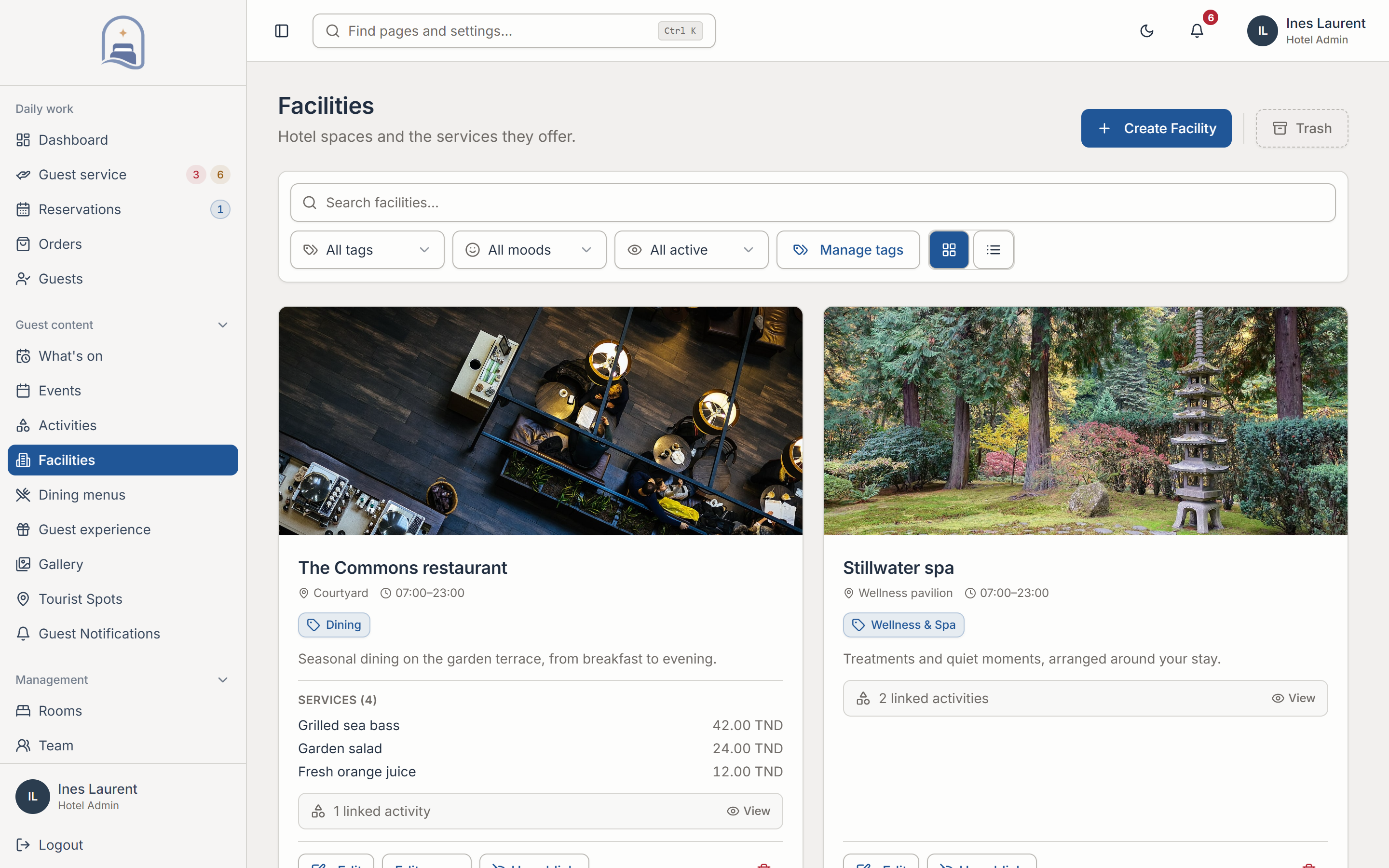
03Content publishing
Publish the information guests rely on.
Your hotel changes every day. Let the people closest to the operation maintain the information guests rely on, through one publishing workspace.
- Maintain content at the source
- Manage facilities, services, activities, events, photos and guidelines. Activities can be maintained from the facility they belong to.
- Separate preparation from publishing
- Use draft and publish controls and manage translations. Activity schedules and reservation slots are separate, so the programme can reflect how the hotel actually runs.
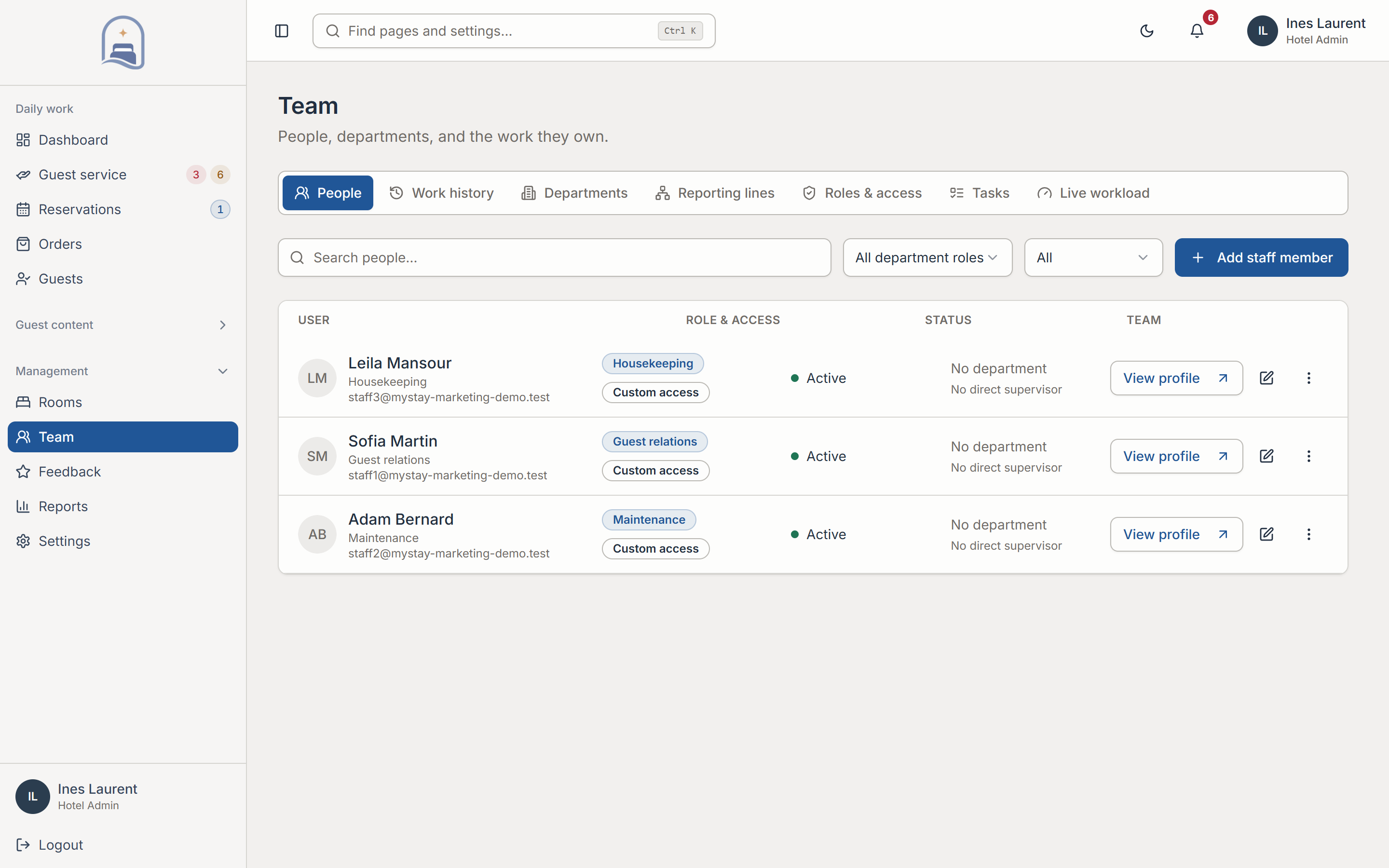
04Team access
Give each colleague the right responsibility.
Give colleagues access appropriate to their role and property. Support accountable operations as teams, shifts, and management responsibilities change.
- Roles and property context
- Access is shaped by each colleague’s role and hotel. Team responsibilities and service ownership can be maintained as staffing changes.
- Accountable work
- Session management and audit history support oversight. Workload visibility helps managers understand who is carrying the open work.
In practice
Extra towels. A visible handover.
A small guest request becomes a task the team can own, complete and follow up.
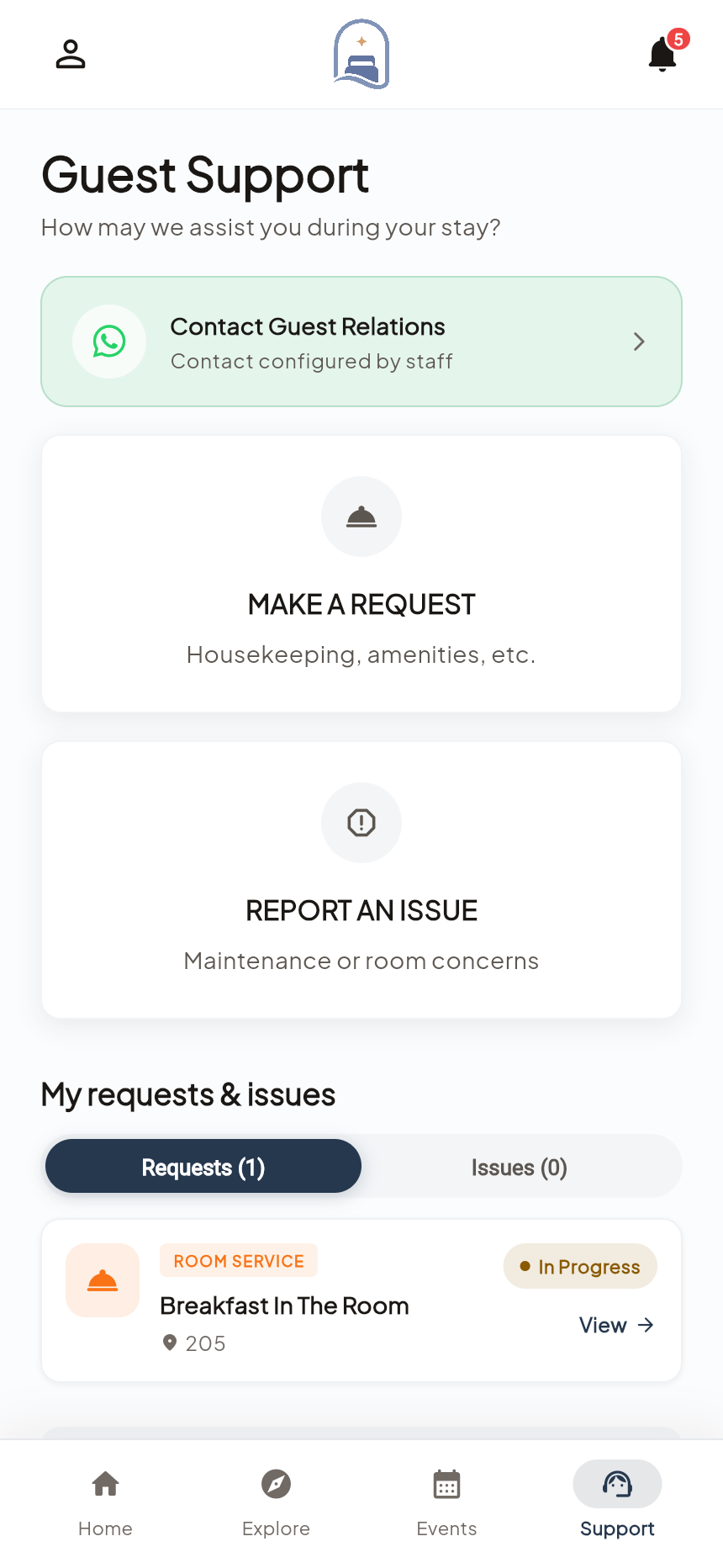
Receive the request
The guest submits a service request with the relevant room and request details.
Assign the work
Routing or a manager assigns an appropriate colleague, who can see the context needed to act.
Complete and update
The colleague progresses the request, records completion and keeps the guest informed.
Your setup
Fit it to the way
your hotel works.
These are the decisions we work through together before rollout.
See the rollout steps- Team structure
- Define your colleagues, departments, roles and request categories before enabling the service workflow.
- Routing and coverage
- Agree how assignments should use shifts and workload, and who monitors requests when staffing changes.
- Content responsibilities
- Choose the people who maintain facilities, schedules, translations and publishing. My Stay complements your property systems; integration scope is agreed during discovery.
Before you decide.
Practical answers about Hotel Operations.
How are requests assigned?
Routing can use request category, on-shift availability, and workload. Managers can reassign work when the situation calls for it.
Can we manage content as well as service requests?
Yes. The web workspace includes hotel content, schedules, events, translations, bookings, orders, and request workflows, with access shaped by role.
Is My Stay a replacement for our PMS?
My Stay focuses on guest experience and the service operations behind it. We review your current systems and any integration requirements during discovery.
Where it connects.
Hotel Operations connects guest requests with staff action. Reservations & Ordering provides separate booking and order tools, while Hotel Groups extends oversight across properties.
Let’s make it work for your property.
Help your team deliver a more considered stay.
Explore Hotel Operations with a walkthrough of the workflows and configuration relevant to your hotel.
Book a personal demo